Choosing an embedding model: quality, size, cost and languages
The embedding model sets the ceiling of your retrieval: no index, reranker or prompt can surface a passage the model failed to place near the query. Choose by constraints first (where it runs, which languages, which kinds of input), then test a shortlist of three on your own queries. Treat leaderboards as a way to build the shortlist, and plan from the first day for the day you re-embed everything.
Why the embedding model sets the ceiling
First-stage retrieval returns the passages whose vectors sit nearest the query’s. If the right passage is not among them, nothing downstream ever sees it. A reranker reorders candidates and a language model reads what it is handed. Neither can go back for what was missed.
Hybrid search adds a second route through keywords, which is one reason we always use it. But for a question phrased unlike the document, or asked in another language, the embedding is the only route there is.
The model fixes other things as well: the length of every vector, and so your storage and index memory; the longest input it accepts; the languages it handles; and whether it can embed images. The mechanics of storing and searching the vectors are in vector search explained.
Keep one case in mind through the rest of this article. An online electronics retailer has 400,000 product and help passages, mostly in English, some in German. Customers ask in both languages, often with a model number in the question, and a share of the manuals exist only as scanned pages.
Hosted API or open-weight model?
This is the first cut, and constraints usually make it for you. The families below are the ones whose documentation we checked for this article. Others exist.
| Family | Hosting | Dimensions | Max input | Notes |
|---|---|---|---|---|
| OpenAI text-embedding-3 (small, large) | API | 1,536 or 3,072, can be shortened | 8,192 tokens | Text only |
| Google Gemini Embedding (001, 2) | API | 3,072 by default, 128 to 3,072 | 2,048 or 8,192 tokens | Version 2 takes text, images, video, audio and PDFs |
| Cohere Embed (v4, 5) | API | 256 up to 1,536 or 2,048 | 128k tokens | Text and images in one space |
| Voyage 4 series | API | 256 to 2,048 | 32,000 tokens | Separate models for code, finance and law |
| BGE-M3 | Open weights, MIT licence | 1,024 | 8,192 tokens | Dense, sparse and multi-vector output; over 100 languages |
| Qwen3-Embedding (0.6B, 4B, 8B) | Open weights, Apache 2.0 | 1,024, 2,560 or 4,096 | 32k tokens | Can be shortened; matching rerankers |
| EmbeddingGemma | Open weights | 768, down to 128 | About 2k tokens | 308M parameters, built to run on a device |
A hosted API means no GPUs, a start in an afternoon and a bill per token. The costs are that your text goes to the vendor, bulk indexing is throttled by rate limits, and the vendor decides when a model is retired. A retirement forces a full re-embed on their timetable.
An open-weight model keeps data inside your environment and lets you pin a version for as long as you like. You can fine-tune it. In exchange you run inference yourselves: GPUs for the larger models, batching, monitoring, upgrades. The smallest models run on a CPU or a phone, which we cover in small language models.
Our default for a first build is a hosted model, unless data rules forbid it. The privacy questions are worth settling before the benchmark questions.
Dimensions, storage and shortened embeddings
A vector is stored as 32-bit floats by default, 4 bytes per dimension. The arithmetic is simple and worth doing early.
| Dimensions | Per vector | 1 million vectors | 10 million vectors |
|---|---|---|---|
| 3,072 | 12.3 KB | 12.3 GB | 123 GB |
| 1,536 | 6.1 KB | 6.1 GB | 61 GB |
| 1,024 | 4.1 KB | 4.1 GB | 41 GB |
| 256 | 1.0 KB | 1.0 GB | 10 GB |
That is before the index, and the usual index wants to sit in memory. Stores also have limits. pgvector can index plain vectors up to 2,000 dimensions, and Elasticsearch accepts up to 4,096. A model that outputs 3,072 by default will not fit a standard pgvector index without halving the precision or shortening the vector.
Matryoshka-style truncation
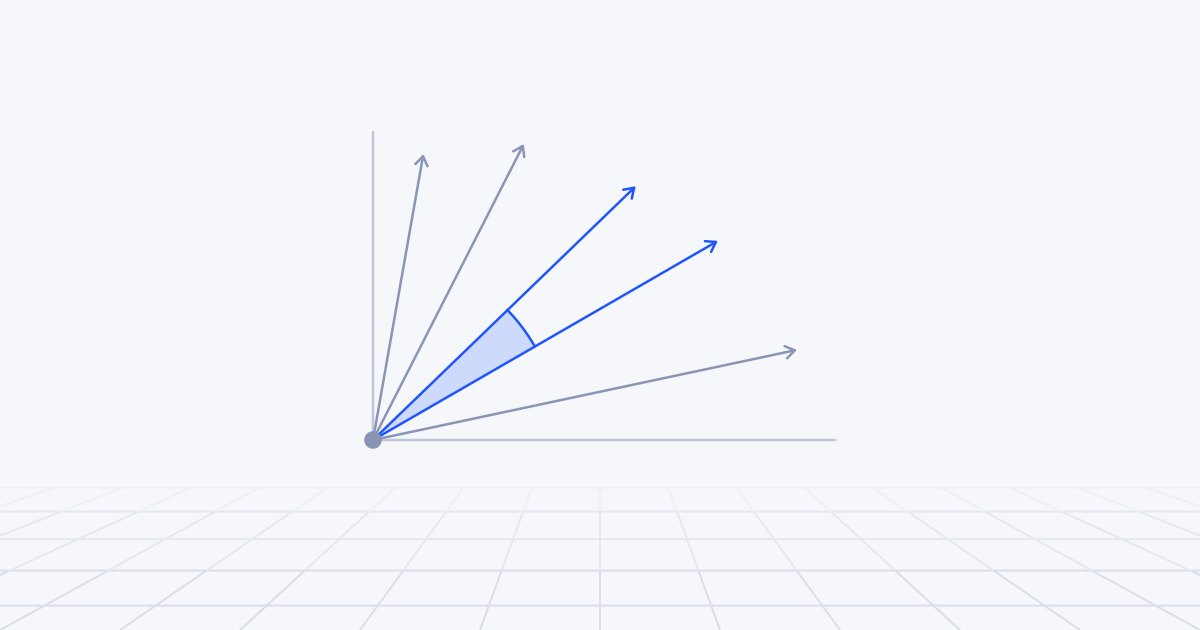
Shortening used to mean choosing a smaller model. Many current models are trained so that the first part of the vector works as an embedding in its own right. The technique comes from a 2022 paper, Matryoshka Representation Learning, named after the nested dolls. The first 256 numbers are a usable embedding, the first 512 a better one, and so on up to the full length. You keep a prefix and drop the rest.
Vendors expose it as a parameter. OpenAI’s embeddings guide says its large model cut to 256 dimensions still outperforms its previous-generation model at 1,536. Google’s Gemini embeddings documentation recommends 768, 1,536 or 3,072.
Three rules apply:
- Only shorten a model that was trained for it. Cutting an ordinary embedding in half damages it.
- Re-normalise if you truncate the vector yourself. OpenAI’s guide warns about this, and Google’s says its older model needs it at any size below 3,072.
- Test the shorter size. The loss depends on your data, and the vendor’s benchmark is not your data.
There is also a two-pass pattern: search an index of short vectors, then rescore the top few hundred against full-length vectors kept on disk. You pay memory for the short ones only.
Context length, languages, domains and images
Context length. Limits in the table run from about 2,000 tokens to 128k. A long limit removes one class of bug, where text past the limit is cut off without warning. It is not a reason to embed whole documents. One vector for a fifty-page manual is an average of everything in it, and a specific question matches an average weakly. Keep chunking, and use the extra room to give each chunk its title and section.
Languages. There are two separate needs. One is searching each language within itself. The other is crossing languages: a German question finding an English manual. Multilingual models place both languages in one space, but quality varies by language pair, and a leaderboard average hides a weak one. For the retailer, the test that matters is German queries against English passages, measured separately.
Domains. General models learn from general text. In law, medicine, finance and code, the vocabulary differs and so does what counts as similar. You can use a domain model (Voyage’s model list includes ones for code, finance and law), fine-tune an open-weight model on your own query and passage pairs, or rely on keyword search and a reranker to cover the gap. Test before assuming the specialist wins.
Images and mixed documents. If the knowledge is in scanned pages, slides or diagrams, a multimodal model can embed the page image and the text query in one space. Google’s second Gemini embedding model, Cohere’s Embed v4 and 5, and Voyage’s multimodal model all work this way. It spares you a text-extraction pipeline for difficult layouts. It is also harder to debug, and keyword search cannot see inside an image. Where text extracts cleanly we still extract it, as described in document AI, and keep image embeddings for the pages where it does not.
What can a leaderboard tell you?
The best-known public benchmark is MTEB, the Massive Text Embedding Benchmark, with a leaderboard hosted on Hugging Face. Vendors quote it, and OpenAI’s guide lists an MTEB score for each of its models. It is useful for building a shortlist, for seeing how far a new generation has moved, and for comparing size, dimensions and input limits in one place.
It is not a decision, for four reasons.
Public test sets leak into training. The maintainers say so themselves. When they introduced RTEB in October 2025, a retrieval benchmark that holds private datasets back alongside open ones, the stated reason was that models had come to be tuned to the public tests. It covers law, healthcare, code and finance, and was still labelled beta on the leaderboard when we checked.
Averages hide your case. Your languages, your domain, your document lengths and whether your users type keywords or full questions all move the ranking.
The gaps near the top are small, and a small gap on someone else’s data predicts little about yours.
And it is silent on the things that will occupy you in production: latency, price, rate limits, retirement policy and whether the vector fits your store.
Testing candidates on your own queries
Pick three candidates. One hosted general-purpose model, one open-weight model and one specialist for your language or domain is a sensible spread.
- Collect 100 to 200 real queries from search logs or support tickets, in every language you serve. Include queries with model numbers and codes.
- Label the passages that answer each one.
- Take a sample of the corpus that includes near misses, such as the manual for the neighbouring model.
- Embed the sample with each candidate, with the same chunking, and search it exactly so that index settings do not blur the comparison.
- Measure recall at 10 and nDCG at 10, overall and per segment: by language and by query type.
- Repeat at the shortened dimensions and with the compression you plan to use.
- Note indexing throughput, query latency and price for each.
- Choose the cheapest model that clears your bar, and keep the test set for the next release.
This is two or three days of work, and it settles an argument that can otherwise run for weeks. Do not be surprised if the leaderboard leader loses to a smaller multilingual model on the cross-language segment. For the retailer, that segment decides the choice.
The cost of switching: re-embedding everything
Vectors from two models cannot share an index. There is no partial migration. Changing model means embedding the whole corpus again, rebuilding the index, re-tuning anything that depended on raw scores and re-running the evaluation.
The API bill is the small part. OpenAI’s guide puts its small model at roughly 62,500 pages per dollar and its large one at roughly 9,600, counting 800 tokens to a page. At those rates a million pages cost about 16 dollars or about 104.
The real costs are elsewhere: days of wall-clock time under rate limits, double the memory while old and new indexes run side by side, similarity thresholds and duplicate cut-offs that no longer mean what they did, and cached query vectors that are now useless.
You will switch at least once. Better models appear, and hosted ones are retired. Design for it:
- Keep the source text and the chunk boundaries, so that re-embedding is a batch job and not a re-ingestion.
- Store the model name, version and dimension beside every vector.
- Build the new index next to the old one, compare them on your test set, switch, and keep the old one for a week.
- Avoid hard-coded score thresholds where a rank will do.
One development is worth knowing. Some vendors now release model sizes that share an embedding space. Cohere’s documentation says this of the Pro and Fast variants of Embed 5, so you can index with one and query with the other. It holds within a family only.
Where to start
In the first week, write down the constraints: where data may go, which languages, which input types, the dimension limit of your store and the budget. Shortlist three models that pass. Build the 100-query test and run it.
The first decision is hosted or self-run. The second is where the vectors live, which we work through in vector database or pgvector.
Then record the choice and the test results where the next engineer will find them. Model selection of this kind is part of the data and vector search work we do at WeStack AI, usually inside a larger RAG build.