Serverless vs containers vs Kubernetes: where to run what
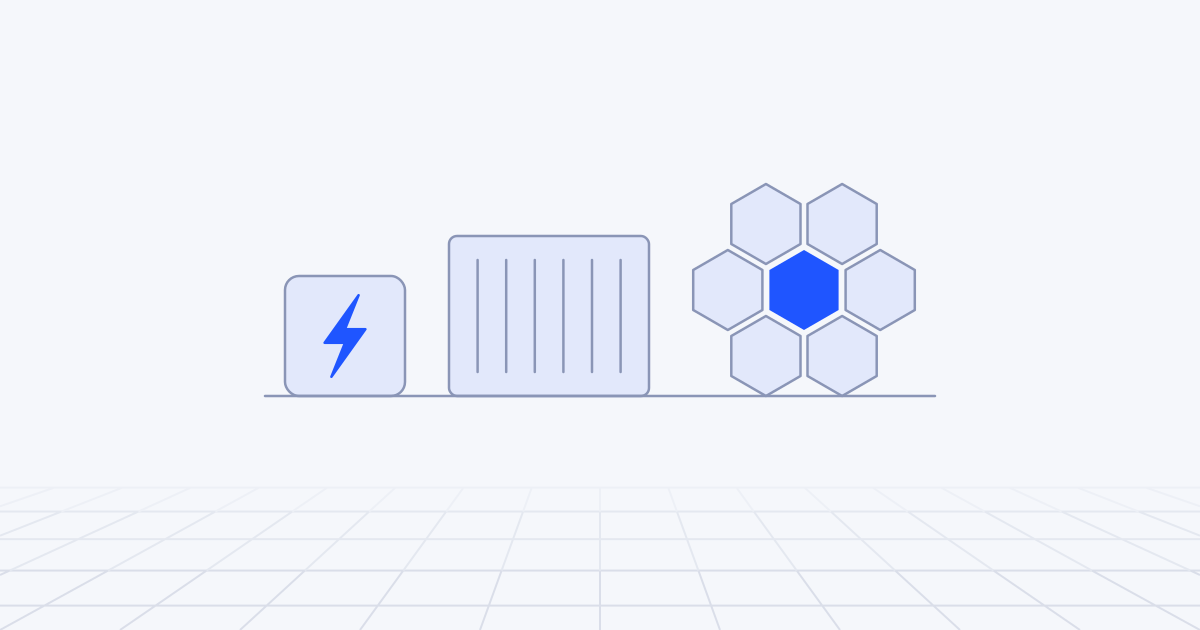
Use functions and edge workers for short, event-driven code and for calls to hosted model APIs, and managed containers for long-running services, background workers and a single self-hosted model. Use Kubernetes when you have many services, several teams or a GPU fleet that needs scheduling you control. The choice depends less on technology than on how much operational attention your team can spare.
Three levels of control
The three options differ in how much of the machine you see.
Functions and edge workers. You hand over code and the platform runs it once per event: an HTTP request, a queue message, a timer. AWS Lambda, Cloudflare Workers, Cloud Run functions and Azure Functions are the main examples. The limits are part of the bargain. A Lambda invocation runs for at most 15 minutes with up to 10,240 MB of memory. A Cloudflare Worker runs in a V8 isolate with 128 MB of memory and, on the paid plan, up to five minutes of CPU time per request.
Managed containers. You hand over an image and the platform runs and scales it without showing you a server. Google Cloud Run, Azure Container Apps and Amazon ECS on Fargate work this way. AWS has closed App Runner to new customers and points them to ECS Express Mode, which is a reminder to check that a service has a future before you build on it.
Kubernetes. You get an API for describing everything: deployments, jobs, networking, storage, GPUs. In return you own the cluster’s configuration, upgrades and add-ons. EKS, GKE and AKS run the control plane for you, and each now has a mode in which the provider runs the nodes as well: EKS Auto Mode, GKE Autopilot and AKS Automatic.
The boundaries are blurring. Lambda has durable functions that checkpoint their progress and run for up to a year, and Managed Instances that run functions on EC2 capacity in your account. Cloudflare runs containers alongside Workers. Cloud Run attaches GPUs. So choose by the shape of the workload, not by the label on the product.
What each costs in money and attention
| Functions and edge workers | Managed containers | Kubernetes | |
|---|---|---|---|
| You manage | Code and configuration | Image, scaling settings, networking | Add-ons, upgrades and policies, plus everything to the left |
| You pay for | Requests and execution time | CPU and memory while instances run | Nodes or pod resources, and usually a control-plane fee |
| Scales to zero | Yes | Cloud Run and Container Apps do; an ECS service normally keeps a task running | Not without extra components |
| Time limit | Minutes per invocation | Up to an hour per request on Cloud Run; none for background workers | None |
| Attention needed | Little | Moderate | A named owner |
Money
Per-request pricing wins when a service is idle most of the time, and most services at small companies are. An internal tool used in office hours, a webhook handler, a nightly job: each costs close to nothing on functions and a fixed monthly amount on anything that is always on.
The balance tips when utilisation is high and steady. A function that is busy all day costs more than a container doing the same work. AWS concedes the point with Lambda Managed Instances, which runs steady, high-volume functions on EC2 at EC2 prices plus a management fee. Before moving in either direction, price a real month of traffic on both models, and include what the calculators leave out: a load balancer per service, NAT gateways, log volume and idle GPUs.
Attention
Kubernetes costs more in salaries than in invoices. Someone has to keep up with version upgrades, ingress, certificates, autoscaling, secrets, policies and the observability stack. The provider-run node modes remove a real share of that. EKS Auto Mode, for example, patches nodes and replaces each one within 21 days. You still own the manifests, the access model, the add-ons and every upgrade that breaks one of them.
As we argue in cloud management for growing teams, teams often adopt Kubernetes early and for the wrong reasons. A cluster run by one person who half understands it is a liability.
Cold starts, long-running work and state
Cold starts. A function that has not run recently must be initialised before it can answer. How much that matters depends on the runtime and on who is calling. Lambda offers SnapStart, which resumes from a snapshot of an initialised function on its Java, Python and .NET runtimes, and provisioned concurrency, which keeps instances warm for a fee. Workers sidestep the problem by design, because an isolate starts inside a process that is already running. A container scaling from zero pays for the image pull and the application’s start-up. Our view is that cold starts matter for user-facing endpoints and voice, and hardly at all for queue consumers. Measure the 99th percentile before optimising anything.
Long-running work. A report that takes 40 minutes does not fit in a function. The options are a durable workflow that splits the work into checkpointed steps, a container job, or a background worker. Cloud Run allows up to 60 minutes per request and has separate job and worker-pool types for work that has no request at all.
State and connections. Functions keep nothing between invocations, so state lives in a database, a queue or object storage. WebSockets and other long-lived connections are awkward on classic functions and natural on containers. At the edge, Cloudflare’s Durable Objects give each session or room a single stateful instance, a pattern we use in building AI agents on Cloudflare. Databases, vector stores and message brokers should be managed services at all three levels, unless you have a team that wants to run them.
GPUs, networking and portability
GPUs
Function platforms are for CPU work. Lambda sizes CPU in proportion to memory and offers nothing beyond that, and a Worker isolate has 128 MB.
Managed containers now cover the common case of one model behind an API. Cloud Run attaches one GPU per instance, an NVIDIA L4 with 24 GB or an RTX PRO 6000 with 96 GB, and scales to zero when idle. Azure Container Apps offers serverless T4 and A100 GPUs billed per second, without multi-GPU or fractional replicas. On AWS, GPU containers run on EC2-backed ECS capacity or on EKS, not on Fargate.
Kubernetes is where a fleet belongs: several models, several GPUs per pod, shared GPUs, spot capacity and queues of training jobs.
Remember that starting the container is the quick part. Loading many gigabytes of weights is what makes a GPU cold start slow, so scale-to-zero suits internal and batch use better than a public endpoint.
Networking
Three things catch teams out on functions. Each concurrent instance opens its own database connection, and a few hundred of them will exhaust a Postgres server, so use a pooler or an HTTP-based driver. Partners who allow-list IP addresses need a fixed egress address, which takes extra plumbing. And private access to resources inside a virtual network needs configuration that a container in that network gets for free. Kubernetes gives the finest control, with network policies between services, and the most to configure.
Portability
A container image is the portable unit. It runs on any managed container service and on any Kubernetes cluster with small changes. Functions are tied to their provider’s event formats and limits, and Workers to Cloudflare’s runtime and bindings. Kubernetes manifests are portable in principle, though the cloud-specific parts (load balancers, identity, storage) are where migration time goes.
Keep business logic in plain modules behind a thin handler, so that the same code can run as a function today and in a container later. And do not adopt Kubernetes for a multi-cloud future you have no plan to pursue.
Where do AI workloads fit?
| Workload | Where it runs well | Why |
|---|---|---|
| Calls to a hosted model API: chat, retrieval, extraction | Functions or edge workers | The code mostly waits on the network, and Workers count CPU time, not waiting time |
| Queue consumers that call models | Functions, or container workers for long calls | Concurrency is easy to cap at the provider’s limit |
| Agent runs of minutes to hours | Durable workflows or containers | Function time limits; each step needs a checkpoint |
| Agent sandboxes that run code or drive a browser | A container per session | Isolation and a filesystem of its own |
| Embeddings or small models on CPU | Containers | Memory for weights, and warm instances |
| One self-hosted model on a GPU | Managed containers with a GPU | Scale to zero, no cluster |
| Several models, fine-tuning jobs, shared GPUs | Kubernetes | Scheduling, packing and spot capacity |
One warning about the first two rows. Functions scale out automatically, and a model provider’s rate limit does not. A thousand concurrent invocations calling the same model will be refused in bulk. Cap the function’s concurrency or put a queue in front, as described in scaling an LLM application.
On self-hosting: a hosted API is usually cheaper until volume is both high and steady, because an idle GPU costs the same as a busy one. Data residency and latency are better reasons to self-host than price. We weigh these trade-offs whenever we build AI agents and model-backed services.
At what team size does each make sense?
| Situation | Our default |
|---|---|
| Up to about 5 engineers, one product | Functions or edge workers with managed data services, and one container service if something needs it |
| About 5 to 20 engineers, a handful of services | Managed containers for services, functions for events and glue |
| More than about 20 engineers, many services, a platform owner | Kubernetes in a provider-run node mode, with functions still doing the glue |
| Any size, with a GPU fleet or deployments in customers’ environments | Kubernetes for that part only |
The bands are rough. Move up when the pain arrives, not when the headcount does.
You have outgrown functions when you are fighting timeouts, working round cold starts in several places, or paying most of the bill for a few functions that never rest. You have outgrown managed containers when you need sidecars and custom scheduling, when dozens of services carry copied configuration, or when GPUs need sharing. You adopted Kubernetes too early if there is more YAML than product code, if upgrades are a year behind, or if only one person understands the cluster.
Mixing levels is normal. Most systems we build use two. The mistake is choosing the highest level for everything.
Three scenarios
A four-person start-up adding an AI assistant. The product is a web app. The assistant calls a hosted model, and uploaded documents are processed in the background. Recommendation: functions or edge workers for the API and the streamed chat, a queue with function consumers and a concurrency cap for documents, a durable workflow for the multi-step processing, and a managed database. No containers until something exceeds a function limit. It is the setup we reach for on most MVPs.
A fifteen-engineer logistics company. It has eight services, a route-optimisation job that runs for 40 minutes each night, a WebSocket service for live tracking, and a document-extraction model that must be self-hosted for data-residency reasons. Recommendation: managed containers throughout. The services run as container services, the nightly job as a container job, the tracking service as an always-on instance, and the model on a GPU-backed container that scales to zero outside working hours. Functions handle webhooks and schedules. Kubernetes would add work and solve no problem they have.
A sixty-engineer AI product company. It has thirty services across three teams, five self-hosted models including fine-tuned ones, and enterprise customers who require deployment inside their own cloud accounts. Recommendation: Kubernetes with a managed control plane and provider-run nodes, GPU node pools that autoscale, and a platform team of at least two. The reasons are specific: one deployment model for many services, GPU sharing across models, and a stack that can be reproduced in a customer’s environment.
Where to start
- List your workloads with four facts each: how long a unit of work runs, the shape of the traffic, what state or connections it holds, and any special hardware.
- Place each one on the lowest level that fits it, and mark those that do not fit.
- Package anything borderline as a container, so that it can move without a rewrite.
- Price one real month on the current level and on the next one up.
- Name the person who owns whatever you choose.
The first decision is the default for new services, because defaults are what get used. Set it one level lower than feels impressive and make exceptions explicit. If you would like a second opinion on where your workloads belong, that review is something our cloud and DevOps team does.