AI agents on Cloudflare: Workers, Durable Objects, Agents SDK
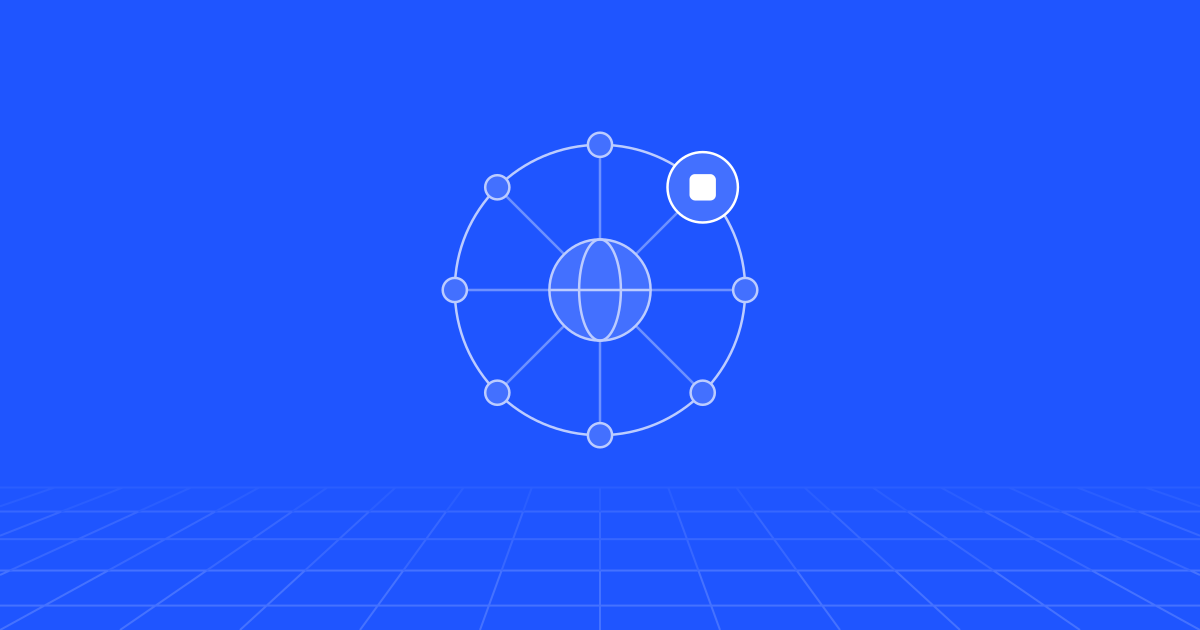
Cloudflare suits AI agents because each agent can be its own Durable Object: a small, addressable program with private SQLite storage that sleeps when idle and wakes on a message, a schedule or a webhook. Workers handle the entry point, the Agents SDK adds state, scheduling and tool plumbing, and Workflows carry long multi-step jobs. The price is tight memory and CPU limits per instance and a design that does not move easily to another cloud.
Why does an edge platform suit agents?
An agent spends most of its life waiting. It waits for a customer to reply, for a model to answer, for a tool to return, for a manager to approve a refund. Between those moments it has to remember exactly where it was.
Most infrastructure handles one half of that well. Stateless functions cost nothing when idle, but every request has to rebuild the conversation from a database and a cache. A container keeps the conversation in memory, but you pay for it around the clock and you need sticky routing to send the user back to the right one.
Cloudflare’s answer is the Durable Object: a single-instance program with a name, its own SQLite database, and the ability to be woken by an HTTP request, a WebSocket message or an alarm. Give each conversation (or each customer, or each ticket) its own object and the agent’s memory sits beside its code. The Agents documentation builds everything on this: every agent is a Durable Object with a durable identity, local SQL storage, live connections and scheduled work, and Cloudflare says the model scales to tens of millions of instances.
The object is not a process that runs all day. Cloudflare’s guide to long-running agents puts idle eviction at roughly 70 to 140 seconds without activity. What is in SQLite survives. What is in memory does not. That one rule shapes the rest of the design.
What is each piece for?
| Piece | What it is | Use it for |
|---|---|---|
| Workers | Stateless functions on Cloudflare’s network | Entry point, authentication, routing, webhooks |
| Durable Objects | One named instance with its own SQLite storage | One agent per conversation, customer or ticket |
| Agents SDK | A TypeScript library on top of Durable Objects | State sync, scheduling, chat, an MCP client, sub-agents |
| Workflows | Durable multi-step execution | Jobs that run for minutes or months, with retries and waits |
| Queues | Message queues with batching and retries | Absorbing bursts, fan-out, dead-letter handling |
| Remote MCP servers | Tool servers over HTTP, protected by OAuth | Exposing your systems to this agent and to others |
| Browser Run | Headless Chrome sessions | Sites and portals that have no API |
| Sandboxes | Containers or Dynamic Workers | Running code the model wrote |
| Workers AI and AI Gateway | Hosted open models, and a proxy for any provider | Inference, logging, fallbacks, spend limits |
Workers and Durable Objects
A Worker receives the request, checks who is calling and forwards it to the right object by name. The same name always reaches the same instance, so there is no session store to run. Each object is single-threaded, which removes a whole class of race conditions. It also means one object should serve one conversation, not a whole tenant.
The Agents SDK
The SDK (the agents package) wraps a Durable Object in an Agent class with the things every agent ends up needing: state that persists and syncs to connected clients, a SQL helper, schedules stored in SQLite, methods the client can call, WebSocket handling and an MCP client. Here is the core of a support agent that records an escalation and wakes itself two days later:
import { Agent, callable } from "agents";

type State = { status: "open" | "waiting" | "resolved" };

export class SupportAgent extends Agent<Env, State> {
  initialState: State = { status: "open" };

  async onStart() {
    this.sql`CREATE TABLE IF NOT EXISTS events (kind TEXT, detail TEXT, at INTEGER)`;
  }

  @callable()
  async escalate(reason: string) {
    this.sql`INSERT INTO events VALUES ('escalated', ${reason}, ${Date.now()})`;
    this.setState({ status: "waiting" });
    // Stored in SQLite: fires in 48 hours even if the object was evicted
    await this.schedule(48 * 60 * 60, "followUp", { reason });
  }

  async followUp(payload: { reason: string }) {
    // check the ticket, nudge the owner or close it
  }
}
One caution: this SDK moves fast. At the time of writing the docs organise it around a runtime plus a pluggable agent loop, the part that calls the model and runs tools. There is a chat base class (AIChatAgent), a higher-level one called Think, and an integration with the Pi agent loop that the docs label experimental. The older McpAgent class for stateful MCP servers is now marked deprecated. Pin your versions and read the changelog before every upgrade.
Workflows and Queues
Agents loop and talk. Workflows finish things. A Workflow is a sequence of steps whose results are saved as they complete, so a failed step retries without repeating the ones before it. A step can sleep for up to a year or wait for an outside event. Cloudflare’s own rule of thumb is a good one: let the agent handle work that takes under 30 seconds, and hand pipelines, reports and anything that must complete to a Workflow. The SDK lets an agent start a Workflow, receive its progress and approve or reject it.
Queues sit in front when events arrive faster than you want to process them: inbound emails, carrier webhooks, a bulk import. Messages are capped at 128 KB, so send references and not documents, and route repeated failures to a dead-letter queue.
Tools: MCP, browsers and code execution
Tools are best exposed as Model Context Protocol (MCP) servers. On Cloudflare a remote MCP server is now a stateless handler in a Worker. You protect it with OAuth, ideally with a scope per operation, and the agent connects to it with the SDK’s MCP client. The same server can serve your other agents and your staff’s desktop assistants.
Browser Run (the product formerly called Browser Rendering) gives an agent headless Chrome through Puppeteer, Playwright or the DevTools protocol. In the SDK’s browser tool the browser runs outside the agent’s object and an idle session lives for up to ten minutes by default, so logins and tabs carry across turns but are not permanent.
For code the model writes, there are two environments and the docs are clear about which to choose. A container gives a full Linux machine with a shell and packages, isolated in its own virtual machine. A Dynamic Worker runs generated JavaScript against only the methods you pass in, and starts faster. The second is the basis of Code Mode, where the model writes one script that calls several tools. Code Mode is also labelled experimental.
Human approval
The SDK documents three places to put a person in the loop: an MCP server asking the user for input, a Workflow pausing at an approval gate, and approval before a specific call inside model-generated code. For business actions we use the Workflow gate. It can wait for days without keeping anything running, it has a timeout, and it leaves a record of who approved what.
What are the limits and trade-offs?
Memory and CPU. Each isolate has 128 MB of memory. CPU time per request defaults to 30 seconds and can be raised to five minutes on the paid plan, according to the Workers limits. Time spent waiting on the network does not count as CPU time, so an agent that mostly awaits model calls rarely hits the ceiling. Parsing an 80 MB PDF or transcoding video will.
Storage. The Agents limits page lists 1 GB of state per agent, while the Durable Objects page lists 10 GB per object. Plan for the smaller figure, and move documents and old transcripts to R2.
Eviction. An open request to a model is cut when the object is evicted or redeployed. The SDK has a keep-alive heartbeat and checkpointed tasks it calls fibers, and Workflows cover the heavy cases. The patterns are the ones in long-running AI agents: checkpoint, make steps idempotent, resume.
The shape of the bill. Workers are charged per request and for CPU time, not for time spent waiting. Durable Objects are charged for wall-clock duration while they are awake, and not while they are eligible to hibernate. An agent that stays awake for 40 seconds waiting on a slow model pays for 40 seconds. Per conversation that is small. Across long reasoning loops or voice calls it adds up, so measure duration per conversation early.
Lock-in. Durable Objects, bindings and the SDK have no drop-in equivalent elsewhere. You can lower the cost of leaving: put tools behind MCP, which is an open protocol, keep business rules in plain TypeScript modules, and keep the system of record in a database you could reach from anywhere. The agent runtime itself will stay Cloudflare-shaped. Decide that with open eyes.
Where you still need a container or a GPU cloud. A Python ML stack, heavy document processing, more than five minutes of CPU, or anything that needs gigabytes of memory does not fit in a Worker. Cloudflare Containers cover part of this: the published instance types go up to 4 vCPU and 12 GiB by default, with no GPU type among them. Serving your own model or fine-tuning one belongs on a GPU cloud, called from the agent as a tool. We go through that choice in serverless vs containers vs Kubernetes.
A reference architecture for a support agent
Take an online retailer with 2,000 support conversations a day across web chat and email. This is how we would lay it out.
- Entry Worker. Verifies the chat session or the email webhook signature, then routes to an agent named after the conversation ID.
- Conversation agent. One Durable Object per conversation. Messages live in its SQLite tables, state syncs to the chat widget over a WebSocket, and model calls go through AI Gateway for logging, fallbacks and a spend limit (see Workers AI and AI Gateway).
- Tools. The order system is exposed as a remote MCP server with separate scopes for reading orders and creating returns. Policy and product questions go to a retrieval tool built as in RAG on Cloudflare.
- Refunds. Anything above a set amount starts a Workflow: validate, wait for a supervisor’s approval, call the payment provider with an idempotency key, notify the customer.
- Inbound bursts. Emails and carrier webhooks land on a Queue. A consumer Worker hands each to the right agent, and failures go to a dead-letter queue that somebody actually reads.
- Follow-ups. The agent schedules its own wake-up: check the parcel in 48 hours, close the ticket after seven quiet days.
- The portal with no API. One carrier only has a web portal. A Browser Run tool handles it, as the exception and not the pattern.
The order database stays where it is. The agent’s SQLite holds conversation memory, not the business’s records.
What goes wrong in this design is predictable. A retried step issues a second refund unless the payment call is idempotent. An email containing instructions tries to steer the agent, which is why refunds sit behind an approval and tool scopes are narrow. Conversation history grows until it crowds the context window, so it needs compacting.
How do you know it is working?
Watch a short list: share of conversations resolved without a handoff, time an approval waits for a human, time to first token at the 95th percentile, tool error rate by tool, model cost per conversation, and Durable Object duration per conversation. The last one tells you whether agents are sleeping when they should. Review a sample of transcripts every week, because none of these numbers tells you whether an answer was right. The wider checklist is in AI agents in production.
How to start in the first week
- Pick one conversation type with a clear end state, such as “where is my order”.
- Build a single
Agentclass with state, one tool and one scheduled follow-up. Deploy it and kill it mid-task on purpose to see what survives. - Put AI Gateway in front of the model on day one so every call is logged.
- Move the first risky action behind a Workflow approval.
- Write down what would have to change if you left Cloudflare, and decide whether that list is acceptable.
Expect the first version to take days. The approvals, evaluation and failure handling around it are where the weeks go. The first decision is the unit of state: one object per conversation, per customer or per ticket. Everything else follows from that choice. It is the kind of design question we work through when building AI agents and the cloud platforms they run on.