Optimise a serverless database: connections, cold starts, cost
Most serverless database problems come from four places: too many connections, too many queries per request, compute that is asleep when you need it or awake when you do not, and no ceiling on spend. Fix them in roughly that order. Use a pooler or an HTTP driver, remove N+1 queries and add missing indexes, choose deliberately between warm compute and a cold start, and set autoscaling limits and alerts before launch.
Start by measuring cost per request
Tuning without a unit is guesswork. Before changing anything, get three numbers for each endpoint: queries per request, rows touched per request, and database cost per thousand requests. If you are still choosing a product, read how serverless databases work first, because the billing unit decides what you measure.
How you collect them depends on the engine.
- Postgres. Enable
pg_stat_statements, which tracks planning and execution statistics for every statement. Sort by total execution time, not by the slowest single query. A 4 ms query that runs two million times a day matters more than a 3 second report that runs twice. - Row-billed SQLite. Cloudflare D1 returns
rows_readandrows_writtenin the metadata of every result. Log them. Rows read means rows scanned, not rows returned, so this number is your bill. - Request-billed stores. DynamoDB reports consumed capacity per call if you ask for it. Request-unit databases report the units consumed in their consoles.
For compute-time billing, add one more: active hours per day. If your traffic is busy for nine hours and the database is active for twenty-four, something is keeping it awake, and that is the first thing to fix.
What the numbers tend to show
Take a clinic booking product: functions on a serverless platform, serverless Postgres behind them, busy from 8 am to 7 pm. A first measurement might look like this. The “my appointments” endpoint runs 31 queries per request, one for the list and one per appointment for the clinician’s name. The availability search scans 400,000 slot rows to return 12. And the database is active all night, although traffic stops at 7 pm, because a reporting dashboard holds a connection open.
None of those needs a bigger database. The first is an N+1 pattern, the second a missing index, the third a connection that should close. That is the usual shape of the problem: the fixes are in the application, and they are cheap.
Connections: pool them or use HTTP
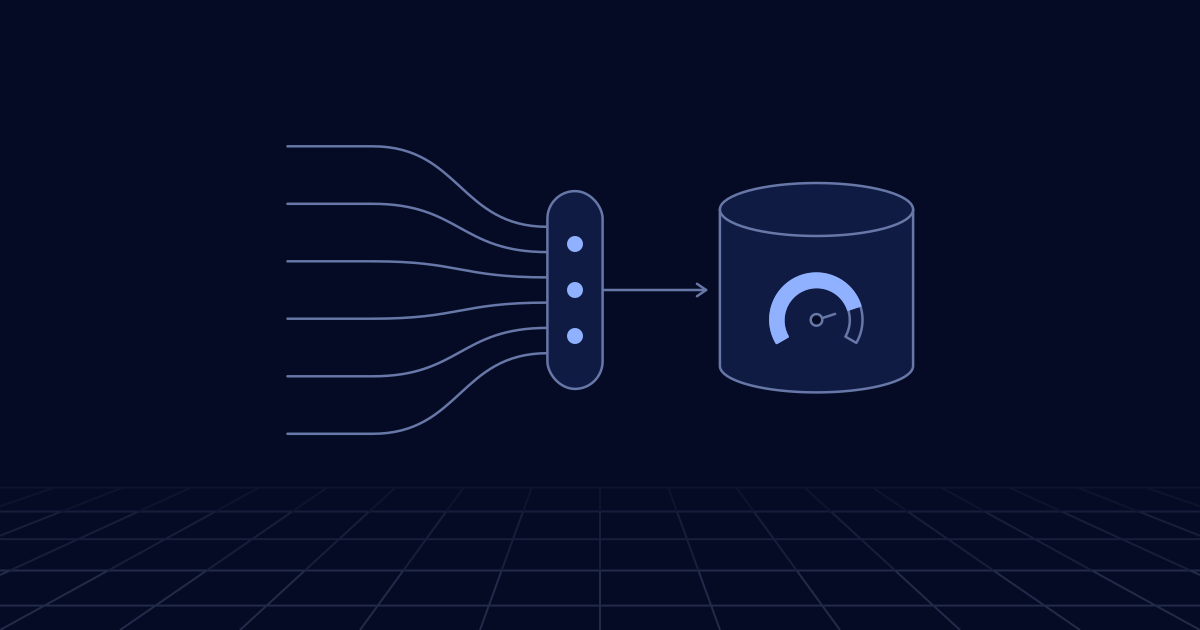
A long-lived server opens ten connections and shares them. Five hundred concurrent function instances open five hundred. Postgres starts a process for each one, so the limit is tied to memory. Neon’s documentation gives 112 connections for its smallest compute, with seven of those reserved. One traffic spike and new requests fail with “too many connections”.
There are three fixes, and you usually want the first or second.
Use the pooled endpoint. Most serverless Postgres services run a pooler in front of the database. Neon’s is PgBouncer in transaction mode and accepts up to 10,000 client connections. Transaction mode hands the connection back after each transaction, so session state does not survive: SET, LISTEN and NOTIFY, SQL-level PREPARE and some temporary tables will not behave as your code expects. Prepared statement support differs between poolers. Use the direct connection for migrations and the pooled one for the application.
Use an HTTP driver. With no TCP connection there is nothing to pool. The Neon serverless driver sends a query as an HTTP request, and its docs recommend HTTP for single queries and non-interactive transactions, with WebSockets only when you need an interactive transaction or a session. This is the simplest option in edge runtimes.
import { neon } from "@neondatabase/serverless";

// Created once per instance and reused by warm invocations
const sql = neon(process.env.DATABASE_URL!);

export async function handler(event: { customerId: string }) {
  // Two statements, one round trip, one transaction
  const [customer, orders] = await sql.transaction([
    sql`SELECT id, name FROM customers WHERE id = ${event.customerId}`,
    sql`SELECT id, total FROM orders
        WHERE customer_id = ${event.customerId}
        ORDER BY created_at DESC LIMIT 20`,
  ]);
  return { customer: customer[0], orders };
}
Put a pooler next to the functions. When functions and database are on different platforms, a proxy bridges them. Hyperdrive does this for Cloudflare Workers talking to any Postgres or MySQL database. RDS Proxy does it for Lambda. Check for side effects: AWS documents that an attached RDS Proxy keeps a connection open and so stops an Aurora Serverless instance from auto-pausing.
Two habits apply whichever you choose. Create the client outside the handler, which AWS recommends for Lambda so that warm invocations reuse it. And on platforms such as Lambda, where an instance handles one request at a time, set the pool size inside each instance to one. A pool of ten per instance just multiplies the problem.
Queries: N+1, indexes and plans
Remove N+1 queries
The pattern: fetch a list of 50 orders, then loop and fetch each order’s customer. That is 51 queries where one join would do. On a traditional server in the same data centre it is wasteful. On serverless it hurts three times. Every query is a network round trip, and Cloudflare’s own figures put that at 20 to 30 ms from a distant region against 1 to 3 ms nearby. Request-billed databases charge for each one. And the longer the request runs, the longer compute stays active.
Fix it with a join, with a single WHERE id = ANY($1) lookup, or with your ORM’s eager loading. Where the driver has a batch call, use it: the example above sends two statements in one request, and D1’s batch() counts as one query against its per-invocation limit. Then stop it coming back: count queries per request in an integration test and fail the build when an endpoint exceeds its budget.
Read the plan before adding an index
Run EXPLAIN (ANALYZE, BUFFERS) in Postgres, or EXPLAIN QUERY PLAN in SQLite and D1, on the top five statements from your measurements. You are looking for a sequential scan over a large table and a large gap between rows examined and rows returned. A composite index that matches the filter and the sort order usually removes both. On a row-billed database the same index cuts the bill directly, since an unindexed filter is charged for every row it scans.
Indexes are not free. Each one slows writes and takes storage, so add them for measured queries, not for hypothetical ones.
Test on a branch
Plans on an empty development database tell you nothing, because the planner chooses differently on real row counts. This is where branching is useful. Neon creates a copy-on-write branch of production in seconds without loading the parent, with a schema-only option when the data is sensitive. Open a branch per pull request, run the migration and the plans against production-shaped data, and delete it on merge. Automate the deletion. Forgotten branches are a common line on the invoice.
Reads: replicas and caching at the edge
Read replicas. Move reporting, exports and heavy list endpoints to a replica so they do not compete with writes. The mechanics differ: Neon’s replicas are separate computes reading the same storage, so no data is copied, and they can scale to zero themselves. D1 replicates reads globally, but only if you use its Sessions API, which passes a bookmark so a user sees their own writes. Whatever the product, decide which reads may be slightly stale and send only those.
Query caching. Hyperdrive caches read queries by default, for 60 seconds with a further 15 seconds of stale-while-revalidate. It does not invalidate when you write. That is excellent for a product catalogue and wrong for an account balance, so shorten or disable it on the paths that must be current.
Response caching. For data that changes hourly, cache the whole response in an edge key-value store or the HTTP cache and skip the database entirely. Remember that edge key-value stores are eventually consistent.
Placement. If a request makes several queries, run the function in the region of the database, not next to the user. One long hop followed by fast queries beats several long hops.
Cold starts: stay warm or accept the wait?
Know your product’s number. Neon suspends after five minutes idle by default and documents a resume within a few hundred milliseconds. Aurora Serverless pauses after an interval of at least five minutes, and AWS gives a typical resume of about 15 seconds, or 30 or more after a day asleep. It also restarts at a small capacity and scales up from there, so the first queries after a resume can be slower than usual.
Then decide per environment.
- Development and preview. Scale to zero, always.
- Internal tools. Accept the cold start. Set client timeouts above the resume time and retry the first connection, as AWS advises.
- Customer-facing production. Either set a minimum capacity above zero, or keep scale to zero and warm the database with a scheduled query just before predictable busy periods.
Avoid the keep-alive ping that runs every four minutes around the clock. It pays for 24 hours of minimum compute while pretending to be serverless. If you need it always on, set a minimum and say so.
The opposite problem is as common: a database that should sleep and never does. The causes are open connections from a dashboard or BI tool, health checks that run SQL, logical replication, and proxies that hold connections. Compare active hours with traffic hours and hunt down the difference.
How do you cap the spend?
Autoscaling without a ceiling is an open cheque. Every product has a control, and they are not equivalent.
- A capacity maximum. Neon scales within a range you set, and Aurora within a minimum and maximum number of capacity units. Set the maximum from a load test, not from optimism.
- A throughput maximum. DynamoDB lets you set maximum read and write throughput on an on-demand table. Requests beyond it are throttled.
- A spending limit. TiDB Cloud Starter has you set one for paid usage. Cloudflare has a Workers spending limit that can block new invocations.
- Alerts. Some services offer only email alerts at a threshold. An alert is not a cap.
Know what happens at the limit: throttling, refused connections or a blocked service. For development, set the cap tight. For production, set it generously and alert at half, because the usual causes of a runaway bill are a retry storm, a deploy that put a scan inside a loop, or a crawler, and you want a human looking before the ceiling is hit. The same discipline for model spend is in FinOps for AI.
When should you move off serverless?
Three signals. The database is active nearly 24 hours a day at a steady level. A feature you need is not available. Or cold starts and pooler limits keep appearing in incident reviews even after tuning.
Check the first with arithmetic. Price last month’s usage against a provisioned instance sized for your peak, with the replicas and standby you would need. If provisioned wins clearly for two or three months running, move. There are middle paths: keep serverless for development and preview while production runs on provisioned capacity of the same engine, or set minimum equal to maximum for fixed capacity on the same service. Where the database sits in your wider cost governance is covered in cloud management for growing teams.
Where to start: a checklist ordered by payoff
- Measure queries, rows and cost per request for your ten busiest endpoints.
- Switch to the pooled endpoint or an HTTP driver, with the client created outside the handler.
- Remove N+1 patterns and add a query-count test.
- Add indexes for the top statements, confirmed with a plan on a branch.
- Find what keeps compute awake, or what lets it sleep when it should not.
- Set the autoscaling maximum and a budget alert.
- Choose a cold start policy for each environment.
- Cache hot reads and move heavy reads to a replica.
- Put functions in the database’s region when requests make several queries.
- Create branches per pull request and delete them automatically.
- Re-run the provisioned comparison every quarter.
The first three usually account for most of the gain and take a few days. Do them this week, measure again, and only then decide whether the rest is worth the effort. This tuning is a routine part of the cloud and platform engineering and data engineering work we do.